
-
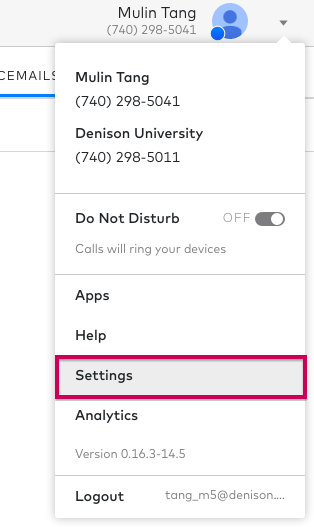
- On the top right of the screen, select the drop down menu next to your profile icon.

- Select “Settings”.
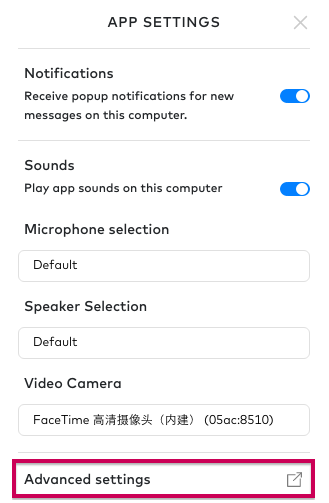
- At the bottom of the App Settings, select “Advanced Settings.” This will open up the Dialpad settings inn your web browser.
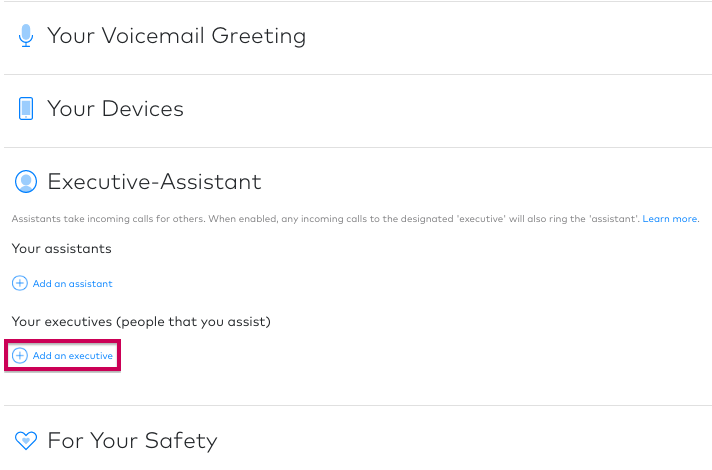
- In “Your Settings” select the “Executive-Assistant” drop down.

- Select “Add an executive”.
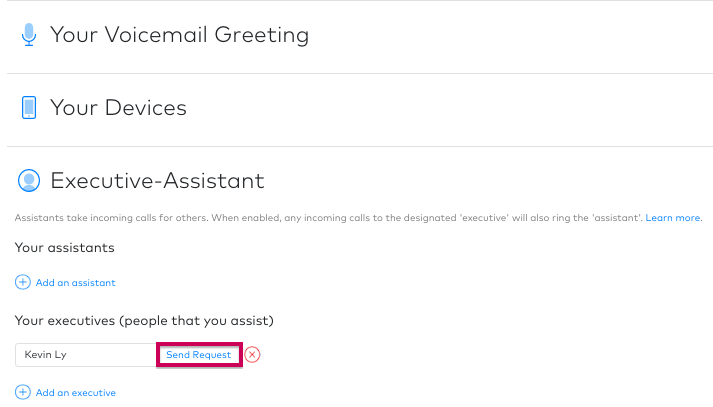
- Type in a name and select the person you wish to become your assistant and select “Send Request”.
- On the top right of the screen, select the drop down menu next to your profile icon.
How do I make someone my executive?
Updated on July 9, 2018