
Students – please keep your contact information updated so that the University can keep you apprised of important messages, such as emergency notifications if the campus is closed due to weather. You may update your cell phone number at any time.
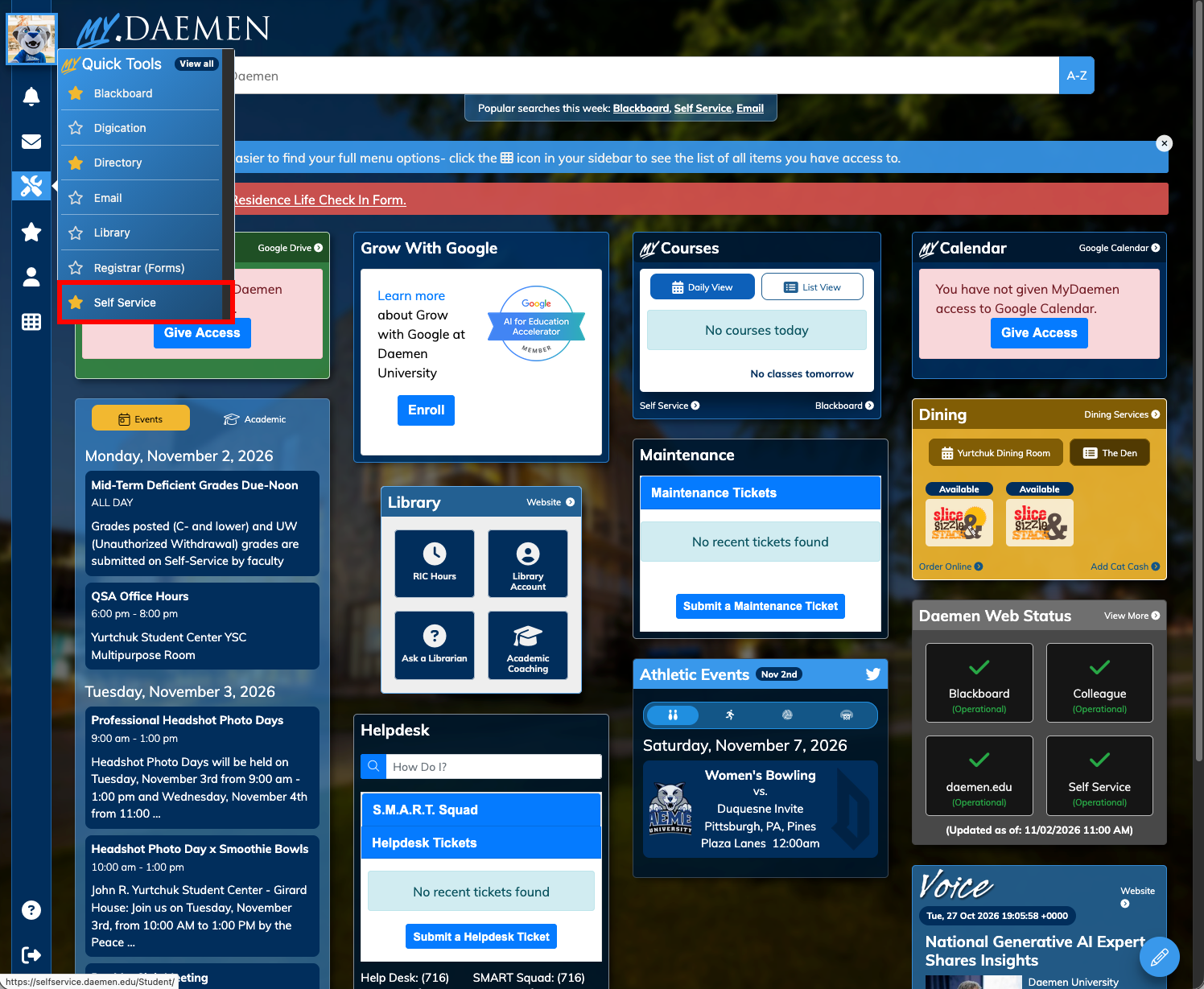
- Go to MyDaemen
- Select Tools on the left
- Choose Self-Service
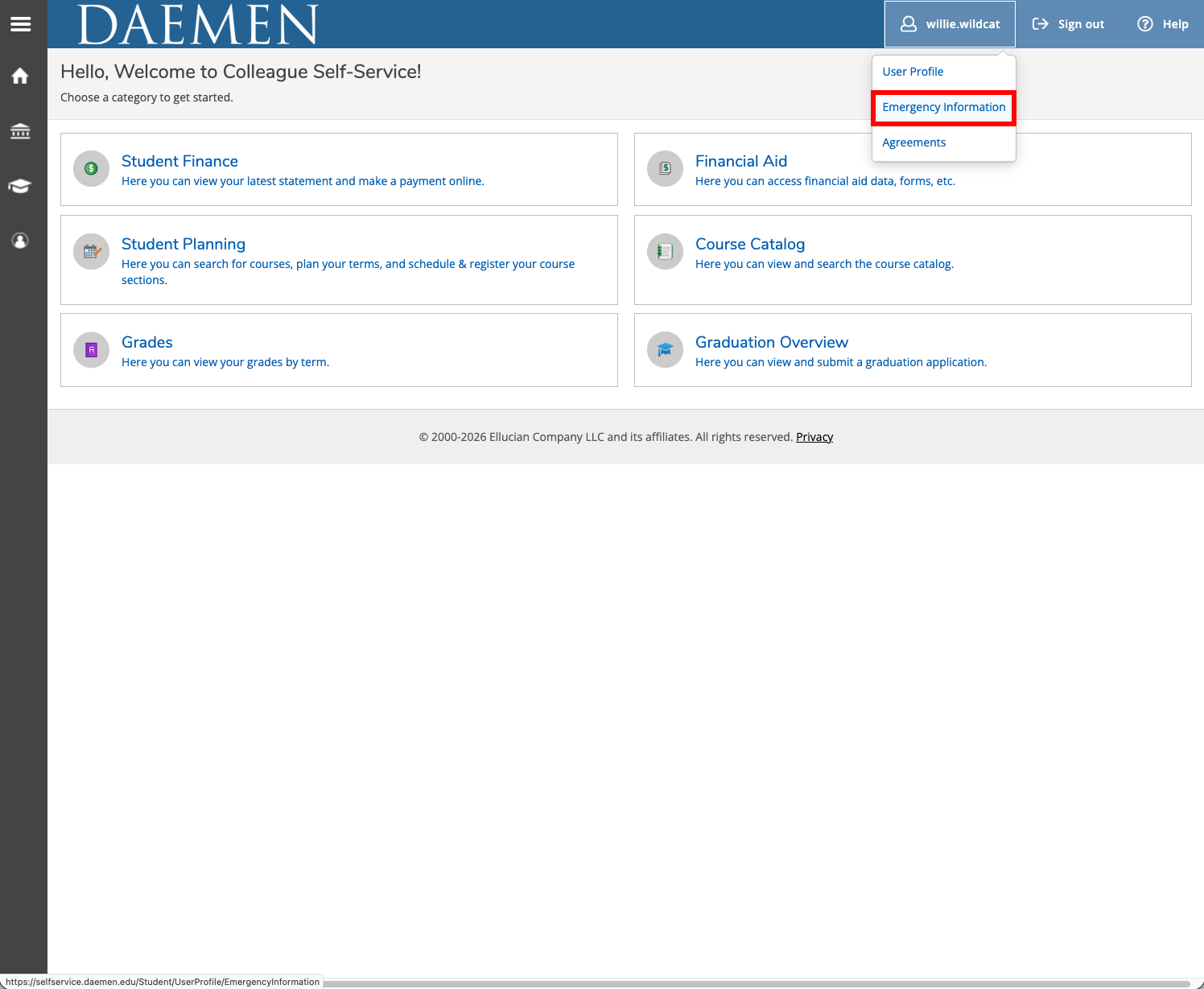
- Click on your name in the upper right corner
- From the drop-down menu, select Emergency Information
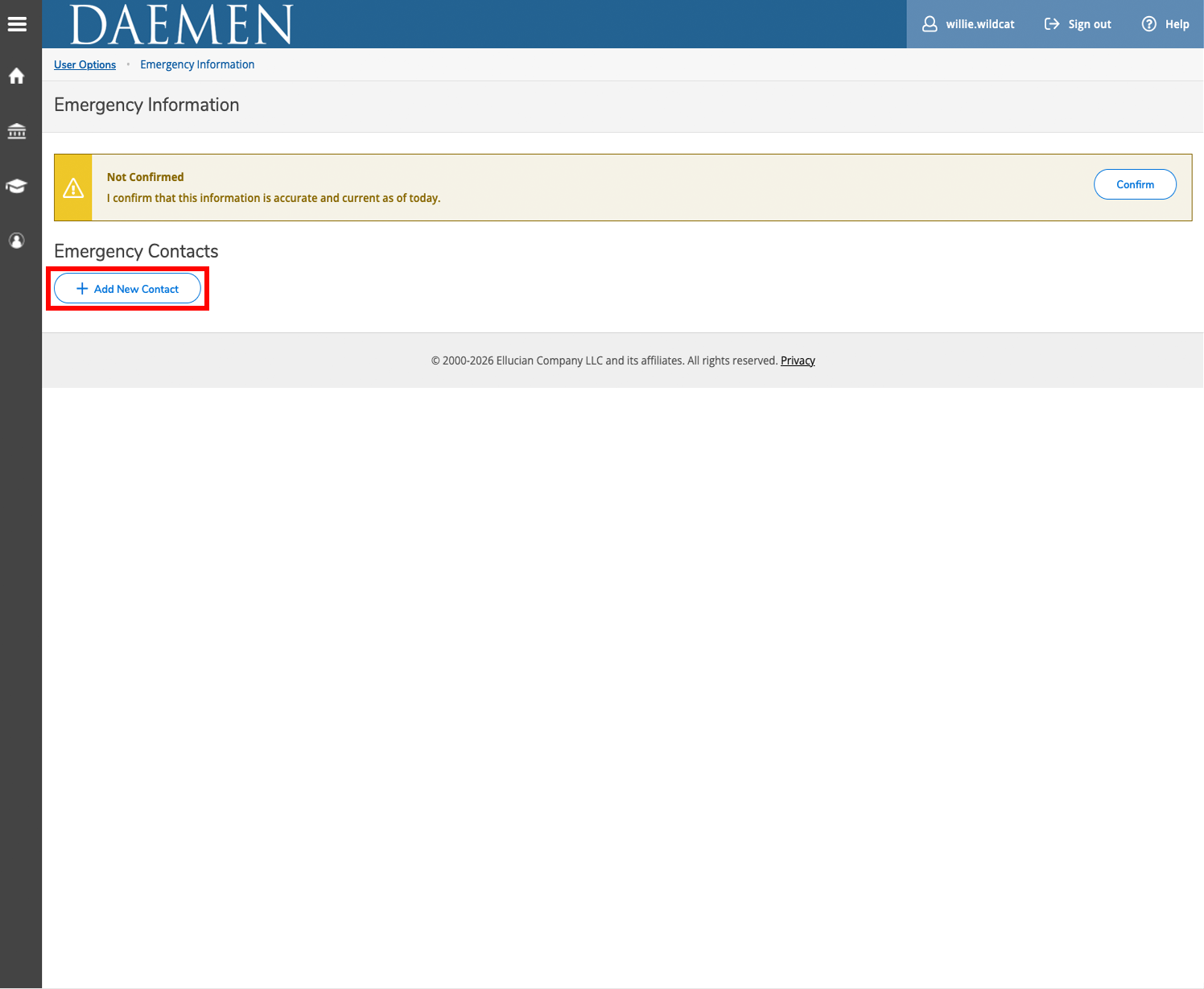
- Choose Add New Contact
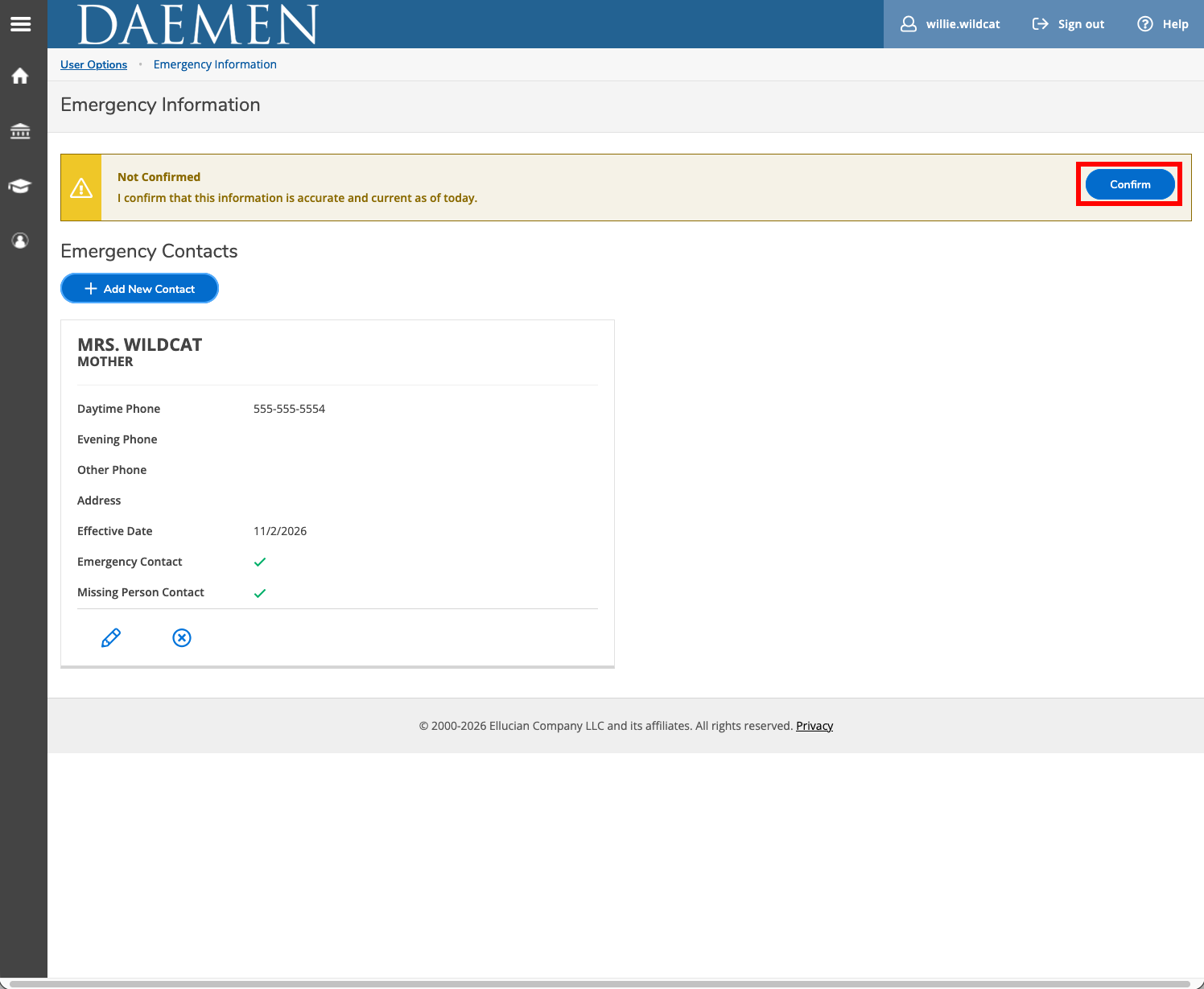
- Enter the emergency contact’s information* and click Add Contact.

- Once complete, click Confirm
- If successful, you will see a message “Emergency information confirmed” in the upper right corner.
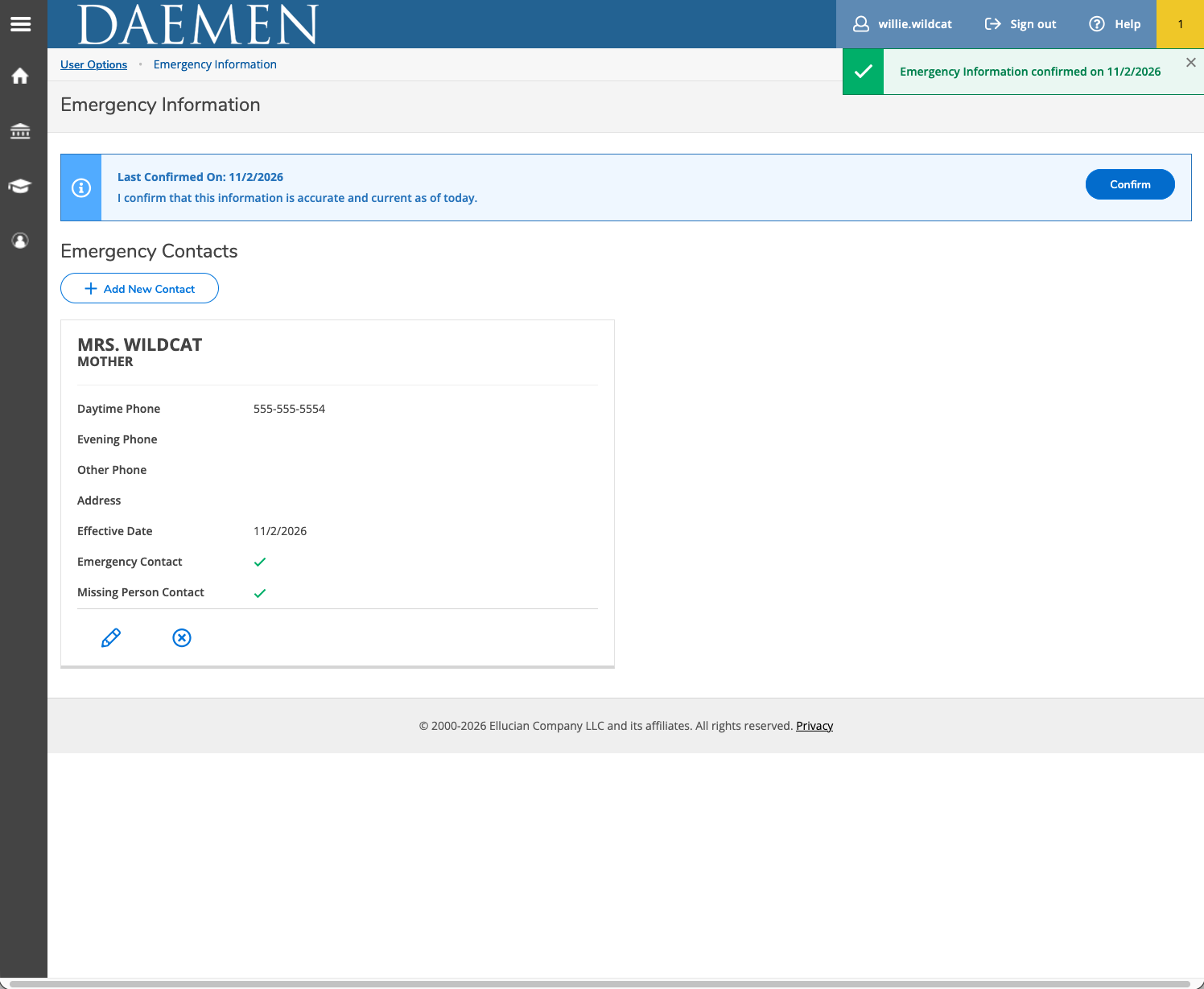
- Click the pencil icon to update or make changes as necessary.
*Designation of a contact person(s)
Emergency contact information is considered confidential and will be maintained by the university in a secure database. The Emergency Contact would only be used by the appropriate University officials involved in emergency response including, but not limited to, the Vice President for Student Affairs, as well as the President. The information may also be provided to the Daemen Office of Campus Safety and the Amherst Police in the case of an emergency. Emergency contacts are trusted individual(s) whom Daemen University can reach out to if a student experiences a severe illness, injury, accident, mental health crisis, missing person event, or other critical safety threat. Emergency contacts are not used for routine administrative or academic issues or concerns.