
Students – please keep your contact information updated so that the University can keep you appraised of important messages, such as emergency notifications if the campus is closed due to weather. You may update your cell phone number at any time.
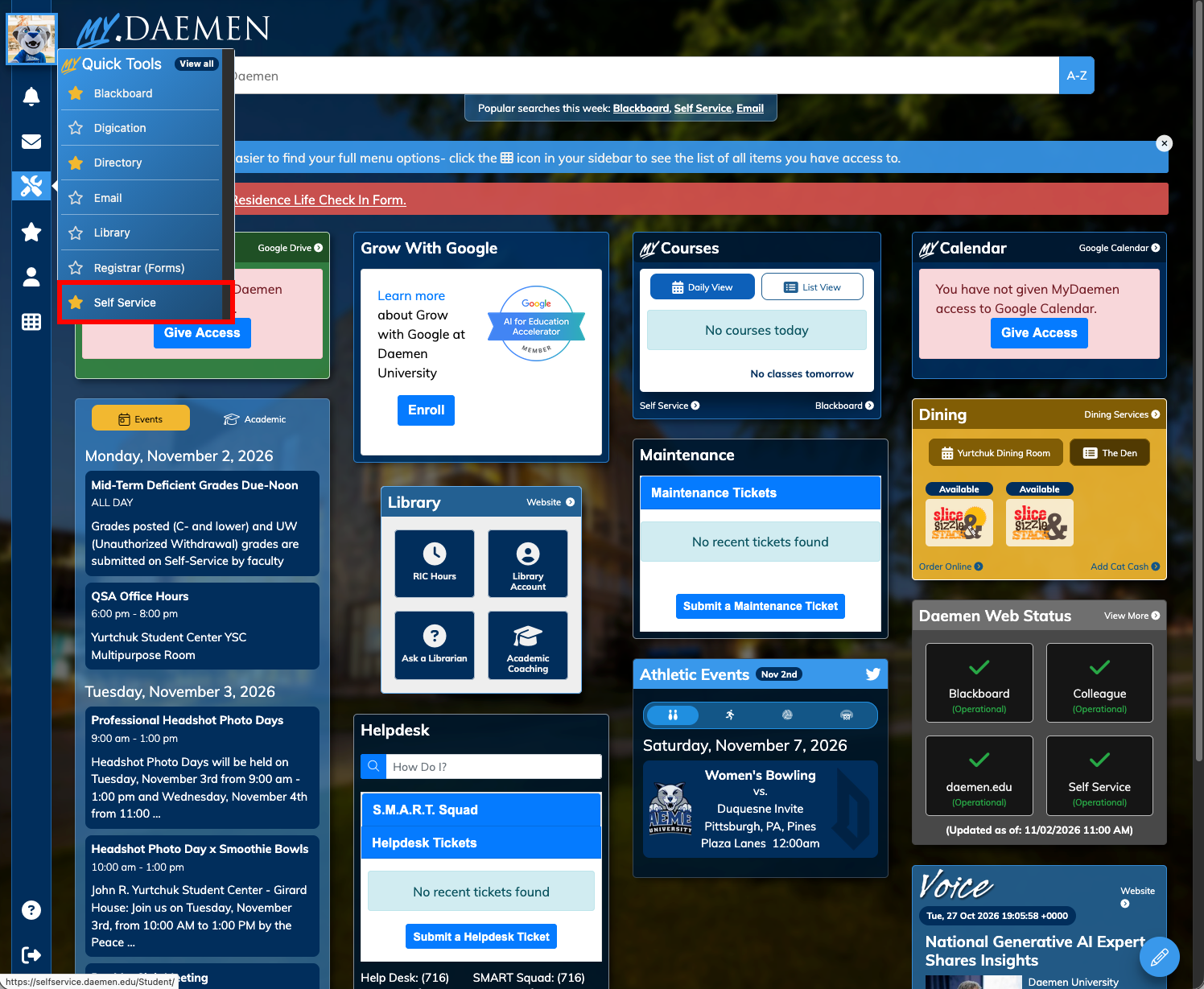
- Go to MyDaemen
- Select Tools on the left
- Choose Self-Service
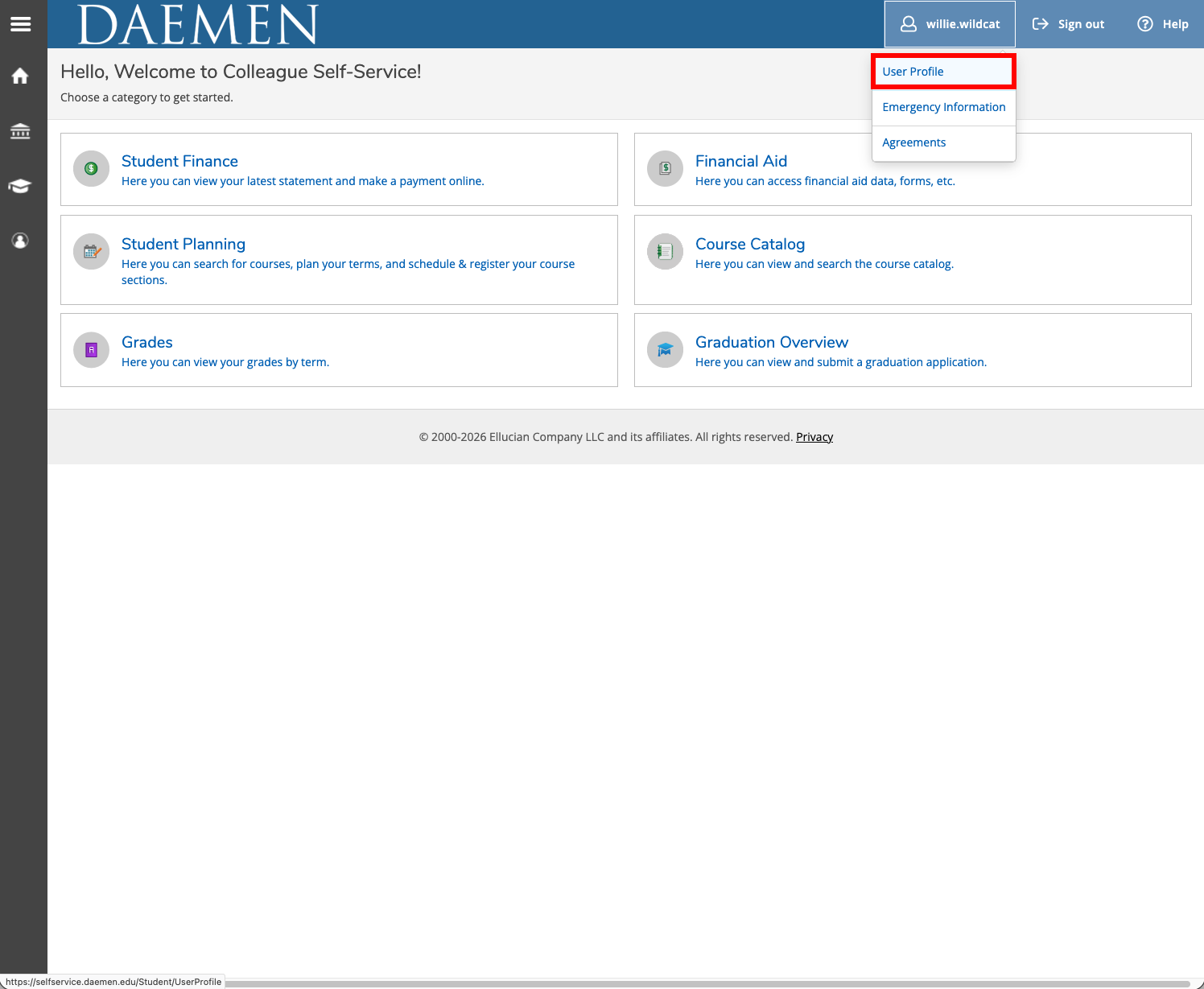
- Click on your name in the upper right corner
- From the drop-down menu, select User Profile
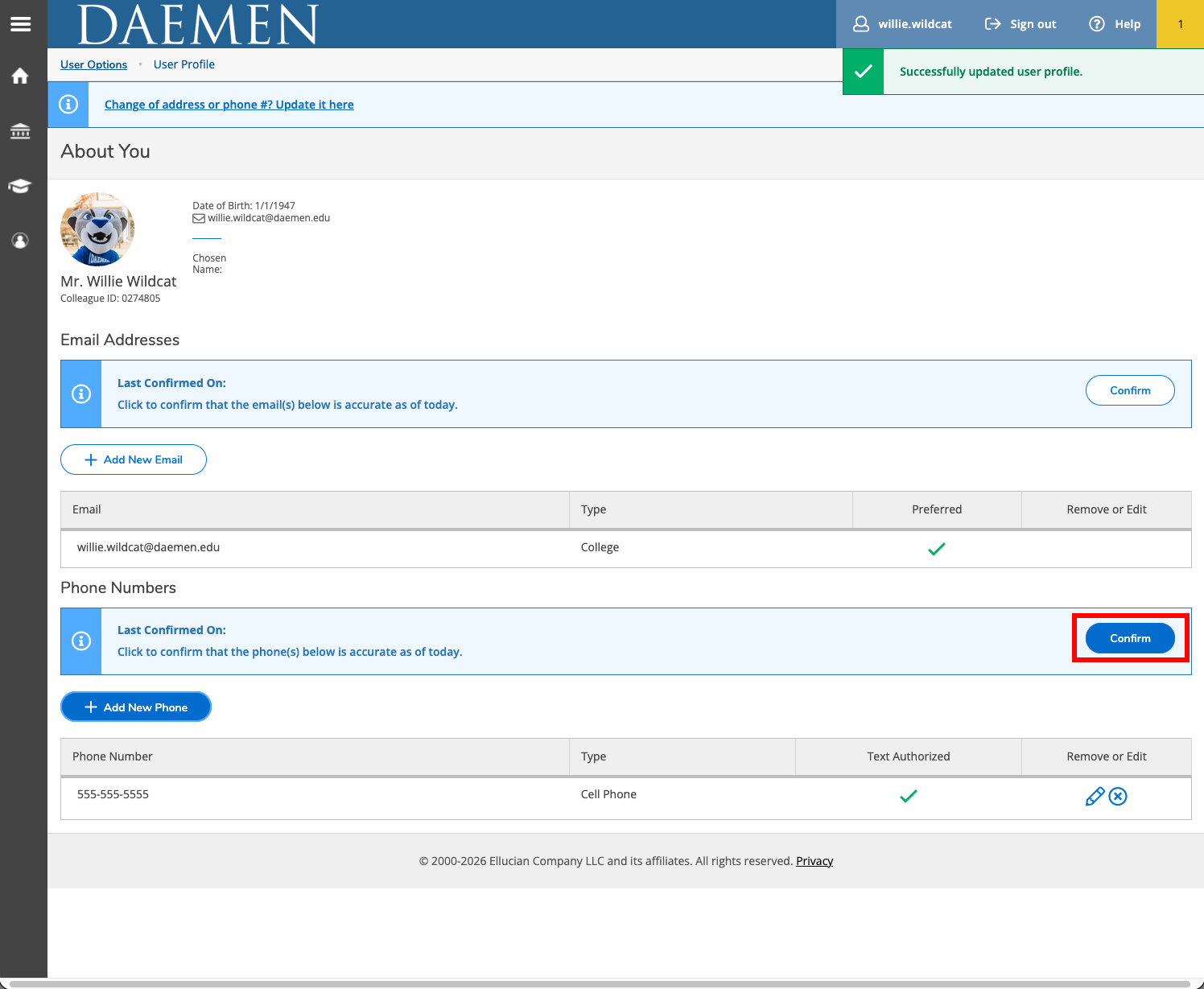
- Under Phone Numbers, Choose Add New Phone

- In the Enter Phone Details box, enter your cell phone number and then click Add Phone.

- Click confirm
- If successful, you will see a message “User Profile information confirmed” in upper right corner.
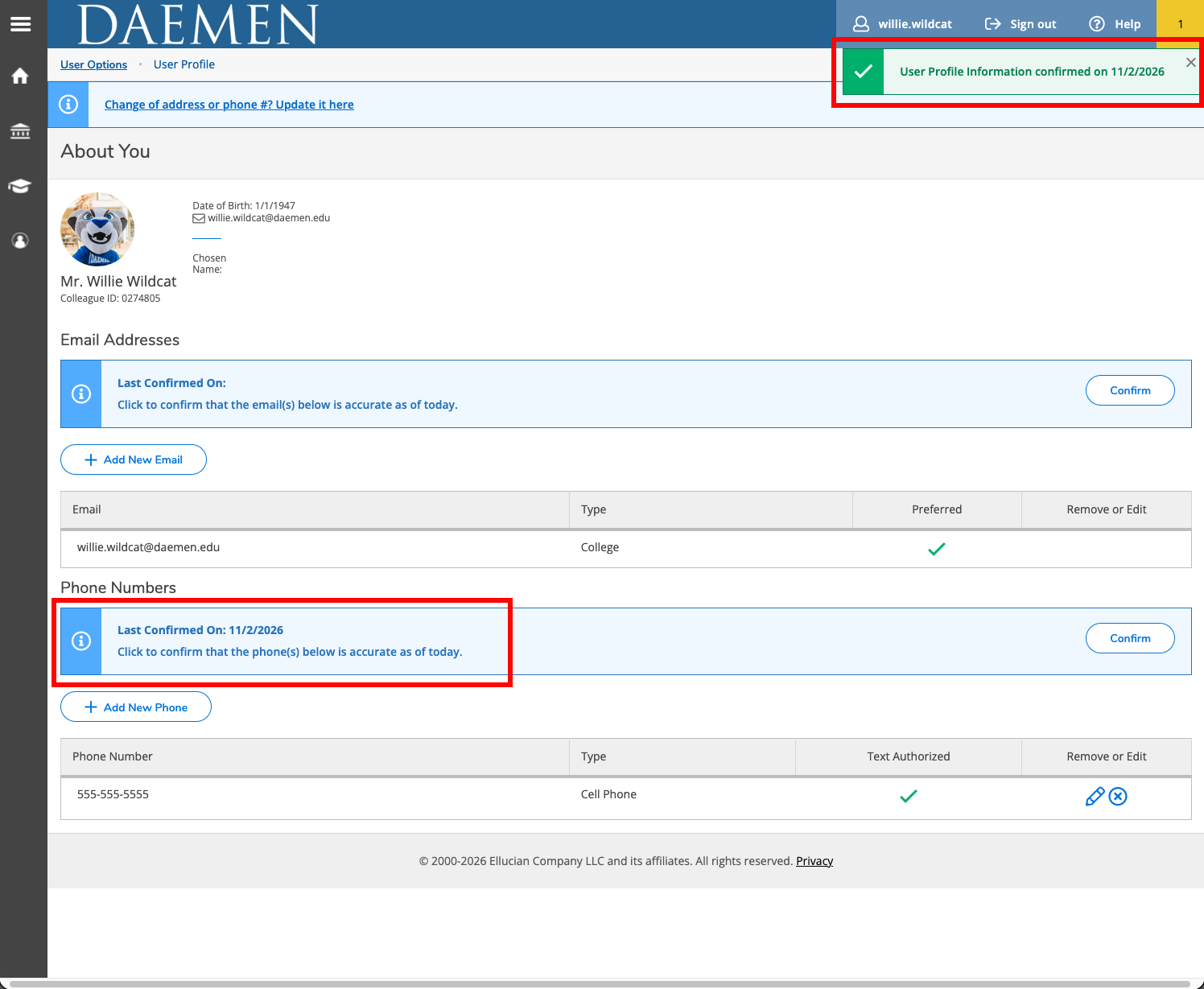
- Click the pencil icon to update or make changes as necessary.
By providing your cell phone number, you consent to receive calls and text messages (including SMS and MMS) from Daemen University regarding your account, university updates, and services. You can reply ‘STOP’ at any time to opt out of text messages.