
📁 Understanding Labels
To help keep our data secure and organized, we are utilizing Google Drive Labels. Labels are essentially digital tags attached to your documents, spreadsheets, and presentations that help us classify and protect our information.
🔄 What is changing?
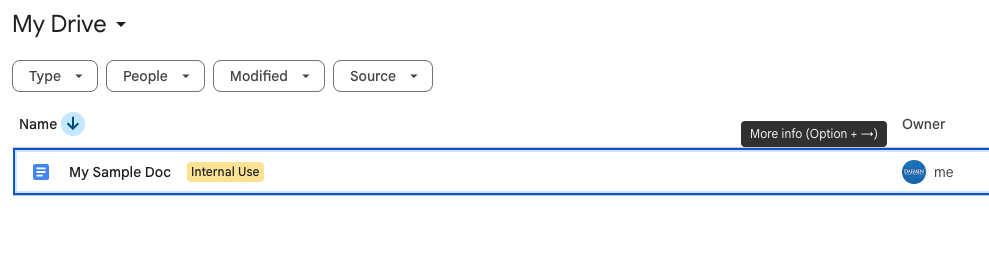
Starting immediately, all newly created files in Google Drive will be automatically tagged with an “Internal Use” label.

🔒 What does “Internal Use” mean?
The “Internal Use” label indicates that the information in this file is intended strictly for Daemen employees. These files should not be shared with external partners, the general public, or unauthorized individuals.

✅ What do you need to do?
- For new files: You don’t need to do anything! The system will automatically apply the “Internal Use” label the moment you create a new Google Doc, Sheet, Slide, or Form. The label will need to be applied to the file(s). However, even if you don’t accept the label, the file will retain it until it’s removed or updated.

- For sharing: Always double-check your sharing settings. If you are working on a document intended for public release or for external partners, you may need to remove the label.
- For existing files: Older files may not have this label applied automatically, but you should still treat internal documents with the same level of care and security.
❓ Questions?
If you have any questions about document security, sharing permissions, or handling specific types of data, please reach out to Information Security via email at infosec@daemen.edu.